Labels: Theme
Alloy Light Blue Theme CM10.1 v1.3.3
Requirements: 2.3 and up
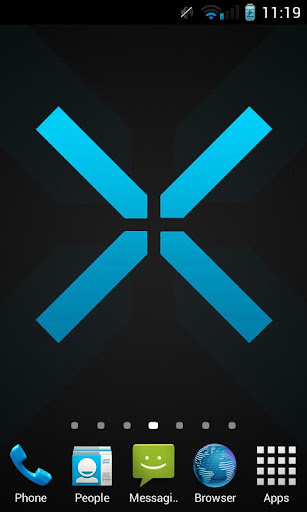
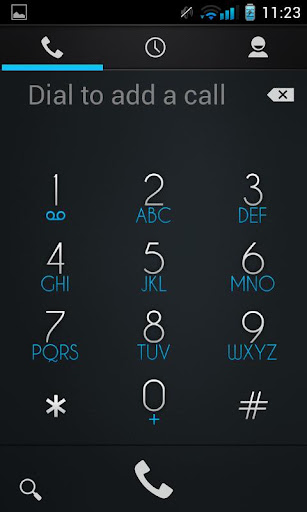
Overview: >> Welcome to AlloyUI, a Theme Chooser theme with a metallic mix of buttons, sliders, checkboxes and more. The Light Blue release of this theme is essentially a lighter spin on the original Alloy Blue theme. You’ll find lighter metallic gradient with the toggles, sliders and switches and a fresh new light blue color theme. Enjoy!
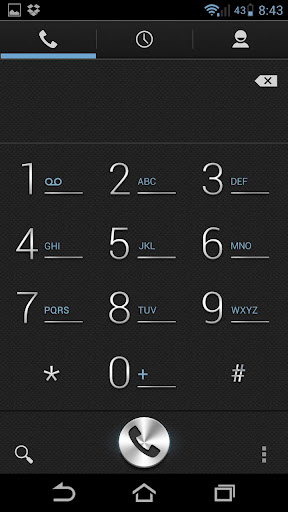
>> Supported screen DPI: [XHDPI][HDPI][MDPI][LDPI][Tablet/Phablet UI]
>> Works on most CM sourced ROMs, including, CM10, CM10.1, AOKP, Paranoid Android, etc..
>> What’s Theme Chooser & how to I apply this theme?:
- Theme Chooser is theme engine included in popular custom ROMs such as CM10, AOKP, and many more.
- Download and install this app and then navigate to Settings -> Themes -> Alloy Theme, and hit the “APPLY” button.
>> TROUBLESHOOTING:
- IF you see this error: “THIS THEME WAS IMPROPERLY COMPILED AND CANNOT BE APPLIED…”, RE-APPLY the default “System” theme AND either:
- REBOOT
- OR, clear cache & data of “ThemesProvider.apk” & “ThemeChooser.apk”, then apply the theme.
- This error: “SORRY, THIS THEME IS MISSING ASSETS FOR YOUR DEVICES SCREEN SIZE,” is HARMLESS, just ignore and select “APPLY ANYWAY.”
What’s in this version:
V1.3.3 (JAN 30):
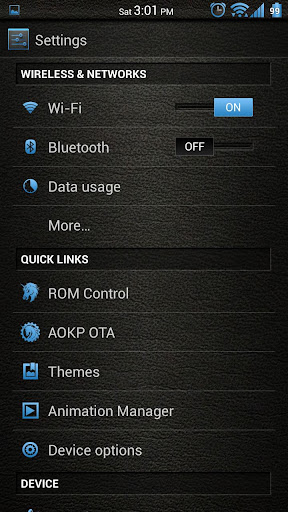
- New lightly themed keyboard
- Tweaked headers
- New pulldown style
- New light text boxes
- Less rounded & thinner signal bar style
- Tweaked MMS text bubbles
- Behind the scenes clean up
- Optimized progress & scrubber images
- Fixed “toast” notification text clipping issue
What’s Next?
- Fix ON/OFF sliders across all screen densities
- Fix parts of the theme not applying
This app has no advertisements
Free Alloy Light Blue Theme CM10.1 v1.3.3 apk
Apex Launcher Pro v1.4.3 beta 1
Requirements: Android 4.0+
Overview: Powerful, fast, and highly customizable home replacement for Android 4.0+.
Apex Launcher helps you create a customized homescreen experience on your Ice Cream Sandwich (Android 4.0) device.
Features:
- Customizable homescreen grid size and up to 9 homescreens
- Scrollable dock with up to 7 icons per page and up to 5 pages
- Infinite & elastic scrolling (homescreen, drawer and dock)
- Fancy transition effects (tablet, cube, etc.)
- Hide elements as you want (persistent search bar, status bar, or even the dock)
- Customizable icons and labels for shortcuts and folders
- Choose different folder preview styles and background
- Multiple drawer styles (transparent/opaque, horizontal/vertical, paginated/continuous)
- Drawer apps sorting (title, install date, mostly used)
- Hide apps from the drawer
- Lock your desktop to prevent accidental changes
- Enjoy homescreen gestures (pinch, swipe up/down, double tap)
- Backup/restore settings and data
- Optimized for both phones and tablets
- Lots of other customization options!
Apex Launcher Pro (Paid Version) Features:
- Multiple configurable drawer tabs
- Unread count notifications
- Dock swipe gestures
- Two finger gestures
- More transition effects
- Batch add option for folders
- Option to merge folder contents
- Widgets in dock (1×1 only)
- Overlapping widgets
- More features on the way!
Note: Due to limitations of the Android framework, you won’t be able to add widgets from the app drawer without root access. If your device is rooted, please enable the Root Helper via Settings > Advanced settings > Enable Root Helper.
Tips:
- Pinch the screen to access screen previews (like Exposé or HTC Sense).
- Long press an icon to drag and drop it over another one to create a folder.
- Long press icons/folders on the desktop and choose edit from the popup menu to customize icons and labels.
- Drag, hover, and drop app icons over the delete button at the top of the screen to quickly uninstall apps.
- Long press an app in the hide apps list to quickly launch that app.
- Switch to single screen wallpaper mode to fix wallpaper zooming issues.
- Enable the Root Helper in advanced settings (root required) to add widgets from the drawer.
Permissions:
- BIND_APPWIDGET: Required to add widgets from the drawer (only if installed as system app).
- CALL_PHONE: Create direct-dial shortcuts on the homescreen.
- EXPAND_STATUS_BAR/SET_WALLPAPER/SET_WALLPAPER_HINTS/VIBRATE: Standard launcher functions.
- INTERNET/ACCESS_NETWORK_STATE: Check for updates and anonymous usage/error reporting (optional).
- WRITE_EXTERNAL_STORAGE: Backup/restore settings and data.
- READ_CONTACTS/READ_SMS/GET_ACCOUNTS/READ_CONTENT_PROVIDER: Missed call and unread SMS/Gmail notifications (pro version).
What’s in this version:
Added list drawer style
Added widget padding option
Improved theme support
Updated translations
This app has NO advertisements
This is patched version, fully unlocked pro funstions.
If your ROM came with Apex Launcher you’ll have to remove it before installing this.
Free Apex Launcher Pro v1.4.3 beta 1 apk
Labels: Theme
Next Launcher 3D v1.16.1
REQUIRES ANDROID:2.2 and up
Overview:Designed by GO Dev Team, ‘Next Launcher 3D’ shows how a 3-D and dynamic launcher could be possibly like — Extend imagination, extend capabilities
Wish you enjoy this app and embrace the next generation of user interface and interaction to your phone!
Features
* Stereoscopic Screen Preview
Stunning 3D screen preview with dazzling animation of screen switching enables you to access to, add, set home screen, and delete any screen in a second.
* Multi-select Apps
After selecting one app, use sliding gesture to multi-select the other apps. The fantastic interaction designs not only to wow people, but save efforts to fulfill batch operation.
* Customizing Home Screen
Packed with unlimited screen layout function, you may place icons, folders, or widgets randomly on your screen. Change 3D themes and wallpapers to reclaim your phone interface.
* Icons
Icons support rotation, replace, Multi-select, align and so on. Operation is easy and fantastic. Multi-select apps, long press one of the selected apps to gather them, and draw a preview path by selecting operation from app icon menu.
* Rotatable Dock
Invert the dock upward or downward to switch among home screen, preview and editing modes.
* App Drawer
Icons can be arranged by name or time. You can create folders by overlapping app icons. That batch operation to add icons on home screen is also available.
* 3D Widgets & Themes & Live Wallpapers
Popular widgets in 3D space including switch, music, clock have been released, with weather, task manager, calender, notification widgets coming soon. Numerous of 3D themes and live wallpapers are being prepared.
What’s in this version:v1.16.1
1.(Fix) Next Notification crash with German
v1.16
1.(New) Support screen auto-rotation
2.(New) Support notification with plugin
3.(New) App drawer gesture
4.(New) Hide app drawer action bar
5.(Improve) Menu individuation feature entrance
6.(Imrpove) ICS UI of some settings
7.(Fix) Some FC bugs
Free Next Launcher 3D v1.16.1 apk
Labels: Theme
Azure Blue Theme CM10.1/AOKP v1.3.1
Requirements: Android 4.0+
Overview: Azure, the next level of aesthetic quality is already here without compromise!
PLEASE NOTE: Only for use with ThemeChooser! Any custom rom with root with this will work! CM10 and AOKP are just examples.
So maybe you don’t like the orange tone of the Aventador. Azure is here to fix that! With Azure, the next level of aesthetic quality is already here, with smooth, yet refined gradients, and precision details with individually crafted images.
Azure is a Holo Blue/Cyan color, it’s designed to keep the Android style with a more refined touch. At at the same time, makes it more intuitive!
Works on most CM sourced ROMs, including, CM10, CM10.1, AOKP, Paranoid Android, etc..
>> What’s Theme Chooser & how to I apply this theme?:
- Theme Chooser is theme engine included in popular custom ROMs such as CM10, AOKP, and many more.
- Download and install this app and then navigate to Settings -> Themes, select this theme and apply it.
>> TROUBLESHOOTING:
- IF you see this error: “THIS THEME WAS IMPROPERLY COMPILED AND CANNOT BE APPLIED…”, RE-APPLY the default “System” theme AND either:
- REBOOT
- OR, clear cache & data of “ThemesProvider.apk” & “ThemeChooser.apk”, then apply the theme.
- This error: “SORRY, THIS THEME IS MISSING ASSETS FOR YOUR DEVICES SCREEN SIZE,” is HARMLESS, just ignore and select “APPLY ANYWAY.”
What’s in this version :
Tablet Battery Colored..
This app has no advertisements
Free Azure Blue Theme CM10.1/AOKP v1.3.1 apk
Labels: Theme
Classics GO LauncherEX Theme v1.3
Requirements: Android 2.0 and up
Overview: Classic is designed for business people create a theme of Retro style. Composed of colour and lustre, realistic style, low-key design, wish you enjoy it!
If you like this theme, Please give us the score in the market!check out our other themes. Click on “More from the developer” or search for Freedom Design here in the market.
Notice:
GO launcher theme is only available for phones with GO Launcher EX installed.
Search “GO Launcher EX” on Google Play Shop and install it for free.
***How to Apply the Theme
1. Directly open the theme after successful installation.
2. or back to Menu>Theme, choose a theme you like and apply it to your phone.
***How to Change Wallpaper
Click Menu>Wallpaper, and select the wallpaper you like.
***How to Change App Icons
(Some devices might not automatically apply the icons)
Long press some app icon>Replace>Theme’s icon, and then choose the icon you like.
Thank you for your continued support. Feel free to contact us if you have any problems or suggestions.
What’s in this version:
- app 4 icons
This app has no advertisements
Free Classics GO LauncherEX Theme v1.3 apk
Labels: Theme
Next Launcher 3D v1.16
Requirements: 2.2 and up
Overview: Designed by GO Dev Team, ‘Next Launcher 3D’ shows how a 3-D and dynamic launcher could be possibly like — Extend imagination, extend capabilities. Wish you enjoy this app and have a wonderful holiday!
Features:
1. Various operation for icons: icons support rotation, reset, select, align and so on. Operation is easy and fantastic.
2 .Unlimited screen layout: placing icons or widgets randomly which forms your own home screen.
3. Stereoscopic screen preview: lots of screen display effects, dazzling animation of screen switching about adding or deleting screen.
4. Quick screen management: adding different kinds of elements in screen edit including application icons, folders and widgets. It’ll support changing wallpapers and themes soon.
5. Rotatable dock: inverting upward or downward the Dock can quickly switch among home screen, screen edit and screen preview.
6. Powerful app drawer: icons can be arranged by names or by time, and folders can be created by overlaying icons. Batch mode and operation of adding apps to screen are also available.
7. Beautiful scrolling effects: a variety of app drawer scrolling effects that provide a distinctive screen switching experience.
8. Fancy 3D widgets: 3D widgets that are based on Next Launcher are coming soon!
Tips:
1.Please make sure your device has installed Google Play.
2.Phone performance:Android 2.3.3 and up; Dual-core models is better.
3. Suggestion:Watch the video of Next Launcher first, to know about the cool operation of the product.
What’s in this version:
v1.16
1.(New) Support screen auto-rotation
2.(New) Support notification with plugin
3.(New) App drawer gesture
4.(New) Hide app drawer action bar
5.(Improve) Menu individuation feature entrance
6.(Imrpove) ICS UI of some settings
7.(Fix) Some FC bugs
This app has no advertisements
Free Next Launcher 3D v1.16 apk
Labels: Theme
Voyager by Gnokkia GOLauncher v1.0
Requirements: 2.0 and up
Overview: Clean and bright style for your life and phone!
Wonderful details, high readibility!
No more words: install a REAL Gnokkia themes and discover the difference!
NOW Voyager GO Launcher theme is matching with Voyager GO Locker theme. You can search for Gnokkia!
Be the first to use it! Especially made to enhance the taste of art. A professional user’s experience.
You MUST have GO Launcher EX installed! If not, it’s available for free in Google Play.
To apply the theme within GO Launcher EX : MENU >preferences >theme preferences >choose the theme and apply.
Please note: in order to get the best user’s experience, set ON the High Quality Drawing in Advanced Setting.
Get a chance to install fine art on your phone!
Special Features:
-Special HD icons from vectorial graphic art
-Unique wallpaper
-High quality graphics and all elements skinned
-Maximum readibility
-MATCHING GO LOCKER
How to change wallpaper:
Click Menu >Wallpaper, and select the wallpaper you like
How to change App Icons:
Long press some app icon >Replace >Theme’s icon, and then choose the icon you like.
Feel free to contact us for any suggestion!
Get a chance to install fine art on your phone!
This app has no advertisements
Free Voyager by Gnokkia GOLauncher v1.0 apk
Labels: Theme
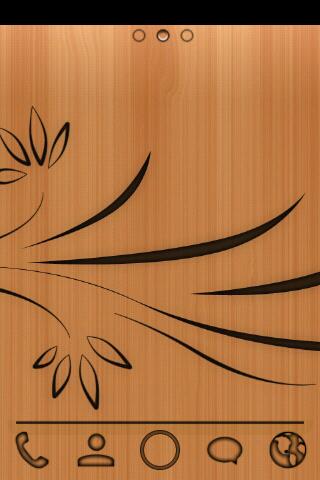
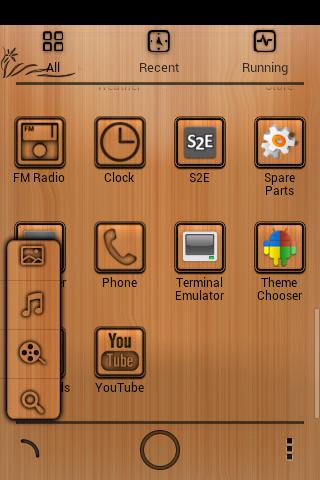
Wood Board Go Launcher Theme v1.0
Requirements: 2.0 and up
Overview: Wood Board GO Launcher EX Theme, specially designed for GO Launcher EX.
Providing wallpapers, folder and app drawer new interface and custom made icons.
Get it now and have a completely new makeover of your Android smartphone.
IMPORTANT:
- This app only works with Go Launcher EX.
- Install GO Launcher EX free of charge via the Play Store.
- How to apply the theme:
1 – GO Launcher EX: MENU -> Preferences topic.
2 – Choose and apply the theme.
FEATURES
+ Go Launcher EX Theme
+ 84 Pixel Icons ( HD )
+ New Folder Design
+ New App Drawer Design
+ Preview with new design
+ Wallpapers
+ Complete new makeover for your smartphone.
This app has no advertisements
Free Wood Board Go Launcher Theme v1.0 apk
Labels: Theme
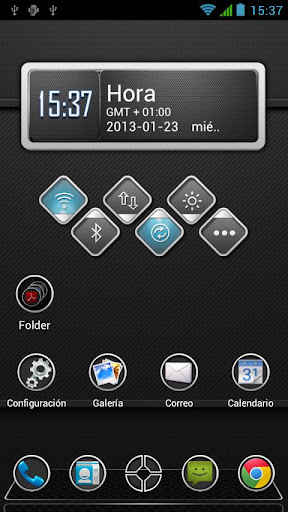
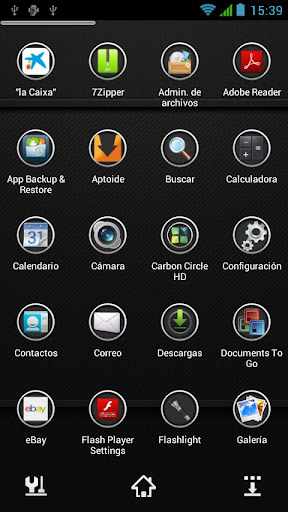
Carbon HD Next Launcher Theme v1.1
Requirements: 1.6 and up
Overview: Carbon HD Next Launcher 3D Theme
Designed by Vafne, is available now! Cool and Elegant interface and app drawer. Have a completely new makeover of your smartphone with this theme.
Important tips:
1. Make sure the latest version V1.15 of Next Launcher has been installed! (Search “Next Launcher” to download)
2. Apply the Theme: MENU->Indicidual—>Installed themes->Choose Carbon Circle HD theme.
What’s in this version:
—–>V1.1
Still not working on android 4.1 +
Add 11 new cool icons.
Minor visual changes.
This app has no advertisements
Free Carbon HD Next Launcher Theme v1.1 apk
Labels: Theme
Next Launcher Theme Jelly Bean v1.0
Requirements: Android 2.2+
Overview: Theme Jelly Bean Next Launcher
I am pleased to present you the new theme for the Next Launcher
Beautiful icons in a cartoon style.
Replace everything application icons
Background icons superimposed on the outside of the icons, thus creating the effect of glare on the icon
*** Important tips:
After purchase, be sure to click to open a theme (theme is ask yourself reinstall click Yes, install), or theme does not appear in the list of themes. This is necessary due to the new defense Android 4.1.
1. Make sure that the latest version V1.15 of Next Launcher has been installed! (Look for the “Next Launcher” into Google Play to download)
2. Apply the theme: menu-> Indicidual-> Installed Themes-> Choose Jelly Bean theme.
This app has no advertisements
Free Next Launcher Theme Jelly Bean v1.0 apk
Labels: Theme
Alloy Light Blue Theme CM10.1 v1.3.1
Requirements: 2.3 and up
Overview: >> Welcome to AlloyUI, a Theme Chooser theme with a metallic mix of buttons, sliders, checkboxes and more. The Light Blue release of this theme is essentially a lighter spin on the original Alloy Blue theme. You’ll find lighter metallic gradient with the toggles, sliders and switches and a fresh new light blue color theme. Enjoy!

Requirements: 2.3 and up
Overview: >> Welcome to AlloyUI, a Theme Chooser theme with a metallic mix of buttons, sliders, checkboxes and more. The Light Blue release of this theme is essentially a lighter spin on the original Alloy Blue theme. You’ll find lighter metallic gradient with the toggles, sliders and switches and a fresh new light blue color theme. Enjoy!


>> Supported screen DPI: [XHDPI][HDPI][MDPI][LDPI][Tablet/Phablet UI]
>> Works on most CM sourced ROMs, including, CM10, CM10.1, AOKP, Paranoid Android, etc..
>> What’s Theme Chooser & how to I apply this theme?:
– Theme Chooser is theme engine included in popular custom ROMs such as CM10, AOKP, and many more.
– Download and install this app and then navigate to Settings -> Themes -> Alloy Theme, and hit the "APPLY" button.
– Theme Chooser is theme engine included in popular custom ROMs such as CM10, AOKP, and many more.
– Download and install this app and then navigate to Settings -> Themes -> Alloy Theme, and hit the "APPLY" button.
>> TROUBLESHOOTING:
– IF you see this error: "THIS THEME WAS IMPROPERLY COMPILED AND CANNOT BE APPLIED…", RE-APPLY the default "System" theme AND either:
– REBOOT
– OR, clear cache & data of "ThemesProvider.apk" & "ThemeChooser.apk", then apply the theme.
– This error: "SORRY, THIS THEME IS MISSING ASSETS FOR YOUR DEVICES SCREEN SIZE," is HARMLESS, just ignore and select "APPLY ANYWAY."
– IF you see this error: "THIS THEME WAS IMPROPERLY COMPILED AND CANNOT BE APPLIED…", RE-APPLY the default "System" theme AND either:
– REBOOT
– OR, clear cache & data of "ThemesProvider.apk" & "ThemeChooser.apk", then apply the theme.
– This error: "SORRY, THIS THEME IS MISSING ASSETS FOR YOUR DEVICES SCREEN SIZE," is HARMLESS, just ignore and select "APPLY ANYWAY."
What’s in this version:
V1.3.1 (JAN 23):
– Completely re-built version with a lighter, more visible "light blue" color
– New, slimmer, signal bars/wifi that include a lighter blue for visibility
– New pulldown handle (from Alloy White)
– Addressed several bugs with 9Patch images and colors
– More coming later including slimming down the app
V1.3.1 (JAN 23):
– Completely re-built version with a lighter, more visible "light blue" color
– New, slimmer, signal bars/wifi that include a lighter blue for visibility
– New pulldown handle (from Alloy White)
– Addressed several bugs with 9Patch images and colors
– More coming later including slimming down the app
This app has no advertisements
More Info:
Code:
Labels: Theme
3D RED DELUXE GO theme v1.2
Requirements: Android 2.0 and up
Overview: 3D RED DELUXE is a high class designer GO LauncherEX theme with beautiful red glossy hd Wallpaper backgrounds and amazing handmade 3D red glossy icons.
Requirements: Android 2.0 and up
Overview: 3D RED DELUXE is a high class designer GO LauncherEX theme with beautiful red glossy hd Wallpaper backgrounds and amazing handmade 3D red glossy icons.


Personalize your smartphone with finest 3D art. The HD RED DELUXE theme has currently 108 beautiful 3D icons.
note:
***This app only works with GO Launcher EX.
***Install GO Launcher free from the market first.
***This app only works with GO Launcher EX.
***Install GO Launcher free from the market first.
Get also now the mega edition RED DELUXE clock widget straight on your smartphone or Tablet and complete your homescreen design.
Enter magic4works in market-search and find your 3D RED DELUXE APP collection in google play store.
More Info:
Code:
Labels: Android Apps, Theme
Vaporize Theme Go Launcher v1.0.4
Requirements: Android 2.0 and up
Overview: Stryker here with an other Stryker Original. I present you with my new theme Vaporize! I know I say this all the time but, this is my favorite theme I have made and is my personal daily driver. I hope you guys enjoy this as much as I do.
Requirements: Android 2.0 and up
Overview: Stryker here with an other Stryker Original. I present you with my new theme Vaporize! I know I say this all the time but, this is my favorite theme I have made and is my personal daily driver. I hope you guys enjoy this as much as I do.


**This theme includes so far**
-4 Stryker Originals custom wallpapers
-2 App Drawer BGs
-81 custom icons
-2 custom Dock images
and more to come in the future!!
-4 Stryker Originals custom wallpapers
-2 App Drawer BGs
-81 custom icons
-2 custom Dock images
and more to come in the future!!
**These icons should also work on these launchers:
Apex-auto and icon picker work
Nova-auto and icon picker work
ADW-auto and icon picker work
Holo-just icon picker works, no auto apply
Apex-auto and icon picker work
Nova-auto and icon picker work
ADW-auto and icon picker work
Holo-just icon picker works, no auto apply
**The matching clock in the screenshots is my Vaporize clock for beautiful widgets and is available in the beautiful widgets theme store. just search Stryker Originals or Vaporize.
***To use this theme, you must have the latest version of Go Launcher EX installed on your device.
Search ÂGO Launcher EXÂ on Google Play Store and install it for free.
***How to Apply the Theme
1. Menu>Theme, choose a theme you like and apply it to your phone.
***How to Change Wallpaper
1. Click Menu>Wallpaper>choose Go Wallpapers, and select the wallpaper you like.
2. Or longpress one of your homescreens, then choose wallpapers>Go Wallpapers.
1. Click Menu>Wallpaper>choose Go Wallpapers, and select the wallpaper you like.
2. Or longpress one of your homescreens, then choose wallpapers>Go Wallpapers.
***How to Change App Icons
(Some devices might not automatically apply the icons)
Long press desired app icon>Replace>ThemeÂs icon, and then choose the icon you like.
(Some devices might not automatically apply the icons)
Long press desired app icon>Replace>ThemeÂs icon, and then choose the icon you like.
***How to Change Dock image
1. click menu/preferences/visual settings/click dock background/choose Go Theme background/pick the dock you want from the list.
***How to change App Drawer background image
1. click menu/preferences/visual settings/click App drawer background/choose Go Theme background/pick the image you want from the list.
More Info:
Code
Labels: Android Apps, Theme
iPhone 5 iOS6 ADW & NOVA Theme v1.2
Requirements: 1.6 and up
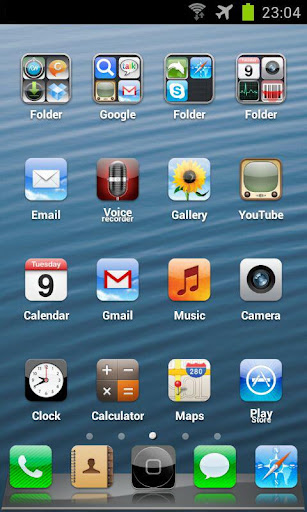
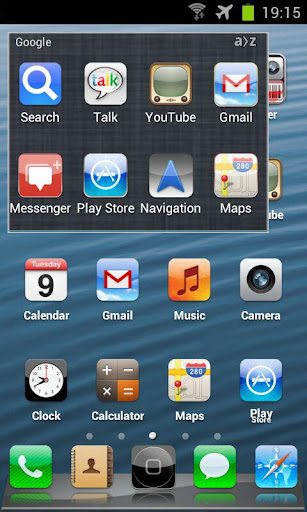
Overview: 600 themed icons in 128×128, original wallpapers in HD, original dock pack, fully customized with the iOS6 look! Now you can have an iPhone5 like interface without giving your Android device and enjoying all of the features and power that only Android offers.
You need ADW Launcher or ADW LAucnher EX installed to use this theme. Download it free form Google Play.
GO Launcher EX and Apex Launcher theme versions available at Google Play Store as well.
For video tutorials on installation and configuration of the theme visit my site: http://rennlab.blogspot.com.es/
NOVA LAUNCHER compatible icon pack and wallpaper pack.
This app has no advertisements
Free iPhone 5 iOS6 ADW & NOVA Theme v1.2 apk
Labels: Android Apps, Theme
GLASS APEX NOVA GO THEME v3.6
Requirements: 2.0 and up
Overview: For all users on android 4.1.1 having a problem with icons not themed in apex-nova launchers
don’t cancel your order just email me and ask for apk file , Because Android Jelly Bean 4.1.1 is causing issues with how themes are accessed by the launchers.
Glass Apex – Nova – Go Launcher Theme
Installation Apex Launcher :
- Install Apex Launcher (Free or Pro)
- Install theme
- Open Apex Settings
- Open Theme Settings
- Select and Apply Glass Theme
Installation GO Launcher :
- Please Do Not open directly after it’s installed.
- Back to GO Launcher EX: MENU > theme preferences.
- Select and Apply Glass Theme
For icons requests please email me
Thanks for your support 
What’s in this version:
3.6:
Small update fixing crash using GO launcher .. Sorry for this
If your not using Go launcher you don’t need this update
Next Update will include lots of new icons
If u have any requests please email me.
This app has no advertisements
Free GLASS APEX NOVA GO THEME v3.6 apk
Labels: Theme
Faenza Icons for Go Launcher v1.0.3
Requirements: 2.0 and up
Overview: This is a port of the famous icon set for linux “Faenza”.
This package contains more than 350 application icon replacement and it’s in continuous development!
To use this theme you’ll need Go Launcher Ex installed.
This app has no advertisements
Free Faenza Icons for Go Launcher v1.0.3 apk
Labels: Theme
Suave XHDPI Go/Apex Launcher v2.0.1
Requirements: 2.0 and up
Overview: Suave HD Icons theme for Go Launcher EX and Apex. 1000+ applications themed!!!
Finally redrawn to XHDPI format (96×96) for a perfect look on most tablets and new generation phones!!
**********************************************************
Hi! This is a port of the Suave Icons for Go Launcher Ex. So, beside many applications icons created by me, all credits should go to Thyraz and pat974! (http://macthemes.net/forum/viewtopic.ph … 804800&p=1)
This package contains more than 750 application icon replacement and it’s in continuous development!
To use this theme you’ll need Go Launcher Ex or Apex Launcher installed.
This is a twin project of the LauncherPro/ADW one but since activities structure are different from Go Launcher not all icons may work. So, if you find some problem feel free to report and I’ll be happy to fix them. Enjoy! 
If you find bugs or have suggestions, DO NOT post them as comments. I can’t reply to those.
So, if you have problem, request etc please email me or use the XDA thread (http://forum.xda-developers.com/showthr … st16756270).
Using comments is useless and low rating doesn’t help.
Note 2: This pack includes many icons (more than 500)…so if you are trying to select your own icon please wait a while and if it force close retry one more time…
What’s in this version:
2.01:
icons added: cm10 camera, gallery and file manager, ruzzle, angry birds starwars, pianist hd, goo manager, magisto, wordsmith, amazing alex, pixlr express, appy gamer, fancy and more…
fix: flipboard, wunderlist, guitar+, adfree;
This app has no advertisements
Free Suave XHDPI Go/Apex Launcher v2.0.1 apk
Labels: Theme
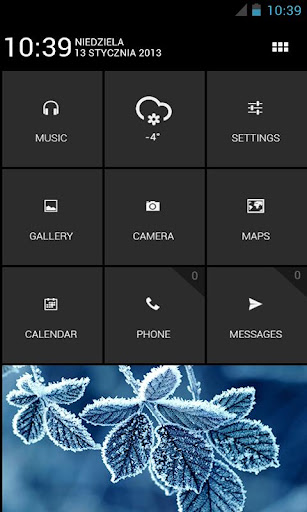
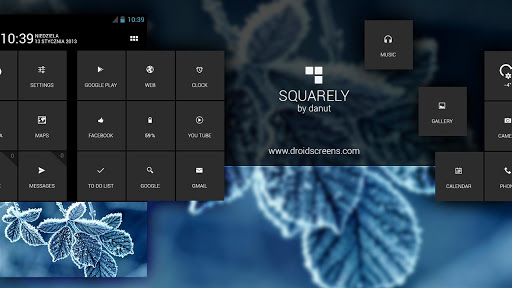
“Squarely” theme v1
Requirements: 2.1 and up
Overview: “Squarely” theme for android.
Simple and understandable tutorial for everyone!
In the application, the necessary files:
Wallpaper, fonts, PSD (Photoshop files), UCCW files and more.
Create the same and change your phone into a beautiful and useful machine!
—
This application is a tutorial which applications to use and how to configure them to get what the pictures.
Not tested resolution may cause a problem with the settings, it can be hard to implement them.
Downloading at your own risk.
This app has no advertisements
Free ”Squarely” theme v1 apk
Labels: Theme
GLASS APEX NOVA GO THEME v3.5
Requirements: 2.0 and up
Overview: For all users on android 4.1.1 having a problem with icons not themed in apex-nova launchers
don’t cancel your order just email me and ask for apk file , Because Android Jelly Bean 4.1.1 is causing issues with how themes are accessed by the launchers.
Glass Apex – Nova – Go Launcher Theme
Installation Apex Launcher :
- Install Apex Launcher (Free or Pro)
- Install theme
- Open Apex Settings
- Open Theme Settings
- Select and Apply Glass Theme
Installation GO Launcher :
- Please Do Not open directly after it’s installed.
- Back to GO Launcher EX: MENU > theme preferences.
- Select and Apply Glass Theme
For icons requests please email me
Thanks for your support 
What’s in this version:
3.5:
Added 60 new icons
Updated some icons with better looking icons
Fixed some icons was not applying
This app has no advertisements
Free GLASS APEX NOVA GO THEME v3.5 apk
Labels: Theme
Blue Leather CM10 AOKP Theme v1.8.1 apk
Requirements: Android 4.0+, ROOT
Overview: Theme for CM10/AOKP & Theme Chooser
!!**!! IMPORTANT **!!**
THIS THEME IS FOR ROOTED PHONES ONLY!
You must be running a ROM that supports
the T-Mobile Theme Chooser Engine.
CM9/CM10/AOKP
XHDPI Displays Only at this time
!!**!! PLEASE READ **!!**
If you receive “Sorry, this theme is missing assets
for your device’s screen size” APPLY ANYWAY.
If you receive “Theme Error” please do not panic.
Simply revert to your original theme and restart your phone.
You will be able to apply after your restart.
Please note some theme aspects only apply after you restart your phone.
If your MMS has issues displaying properly, install this MMS app:
If you have issues, please let me know so I can fix them…
Here is the support thread:
OK, onto the Theme Information!
Newly updated for Android 4.2.1!
What’s Themed:
* Phone
* MMS
* SystemUI
* Settings
* Swype Beta/1.3
* AOKP ROM Control
* Camera 4.1.2
* Calendar
* Contacts
* Calculator
* Google Now
* Google Play
* DeskClock 4.2
What’s new in this version:
Version 1.8.1
- Updated icons for RootBox
- Fixed eBay text issue
- Fixed Bluetooth icon color
This app has NO advertisements
Free Blue Leather CM10 AOKP Theme v1.8.1 apk
Labels: Theme